The Complete Guide to Amazon FBA Reimbursement [2025 Updated]
Maximizing Your Amazon FBA Reimbursement: A Complete Guide Each month, Amazon handles an enormous volume of inventory, ensuring that products


To be able to open reimbursement cases on your behalf, our team needs you to invite them as a user and grant them permissions from your seller account. Once they get in touch with you, our reimbursement team will share an assigned email address with you for this user.
Please follow the instructions below and grant permissions for this user at Amazon Seller Central.
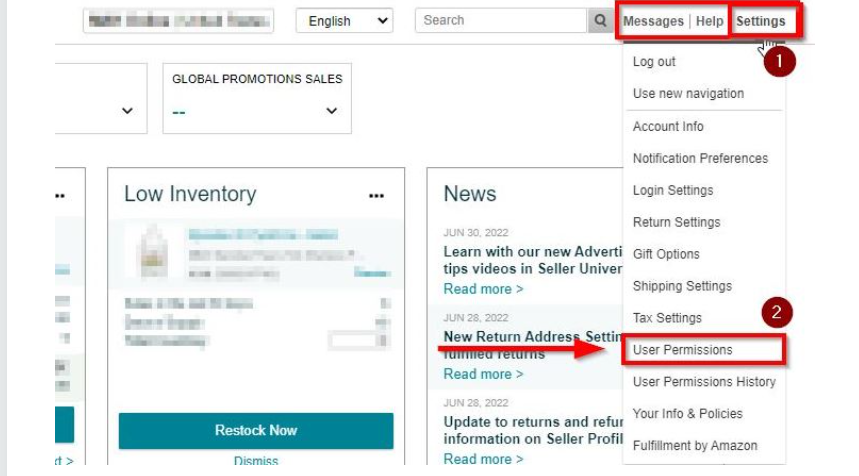
Figure 1 – User Permissions For Reimbursement
3. Scroll down, After filling up the ”Add a New User” part click the “Invite” button. Our Reimbursement Team will confirm the invitation. Please see Figure 2.
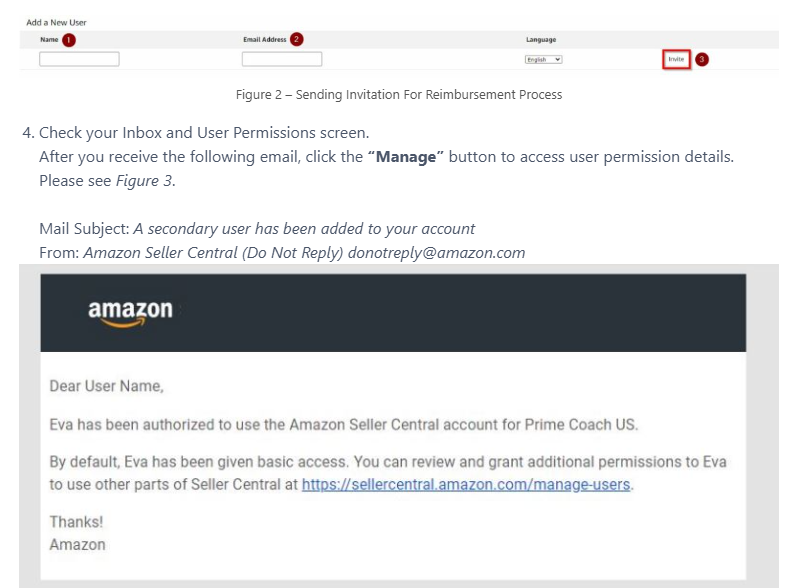
Figure 3 – Access Given E-Mail
5. Edit & Manage permissions as below and save settings. Please see Figures 4, 5 & 6.
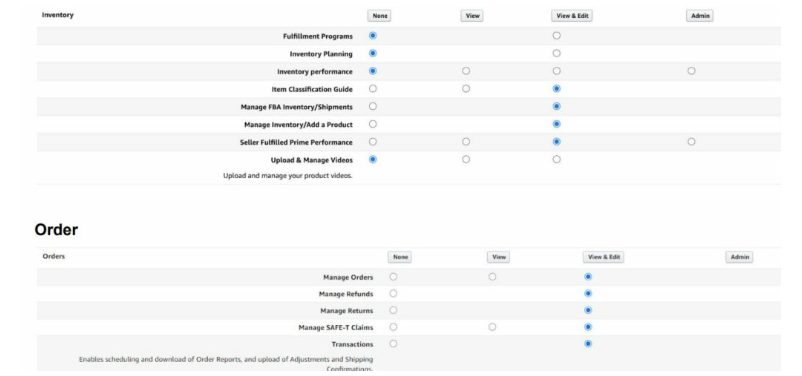
Figure 4 – Inventory View And Edit
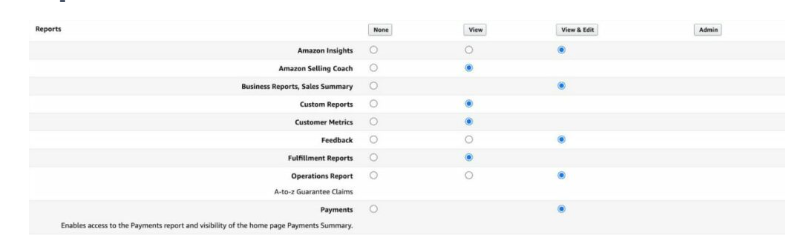
Figure 5 – Reports For Reimbursement
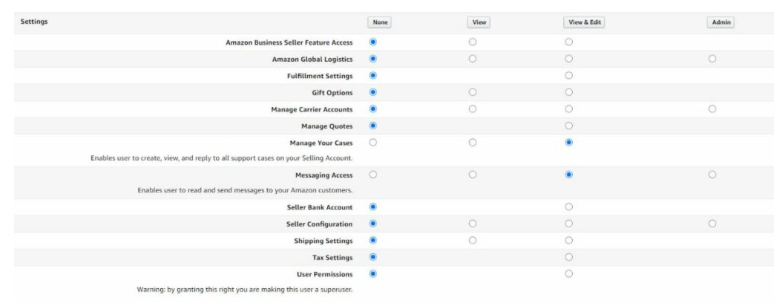
Figure 6 – Settings For Reimbursement
6. Once you are done, please reply to this email and let us know.
If you have any questions or need further assistance, you can always reach out to us
Maximizing Your Amazon FBA Reimbursement: A Complete Guide Each month, Amazon handles an enormous volume of inventory, ensuring that products

Introduction Amazon sellers rely heavily on the platform’s systems to manage their inventory, and Amazon’s auto-reimbursement system appears to offer